


Eurowings web check-in
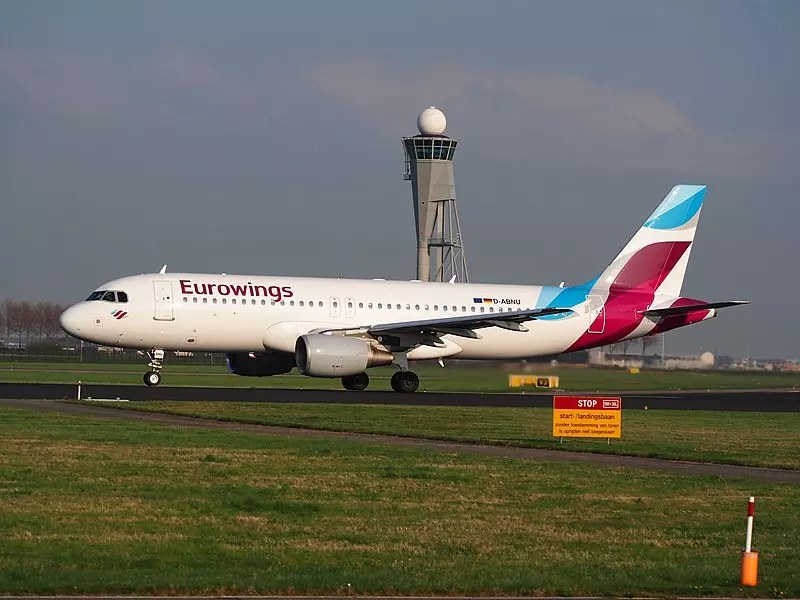
Eurowings web check-in
As a frequent traveler with Eurowings, I am very familiar with Eurowings Web Check-in. This convenient service allows you to complete the entire check-in process for your flight from the comfort of your home or on the go. With just a few clicks, you can create your boarding pass, check in your baggage and get ready for a smooth flight take-off.
Eurowings Web Check-in is an innovative solution that gives travellers more control and flexibility in preparing for their journey. Instead of having to wait in long lines at the airport, you can do everything in advance and go straight to the gate. This not only saves time, but also stress.
In addition, Eurowings Web Check-in offers additional functions such as the possibility to select seats, book additional services and even make rebookings. This allows you to customize your flight according to your needs.
Advantages of Eurowings Web Check-in
Eurowings Web Check-in offers numerous advantages that increase your travel comfort and save you time and stress:
- Save time: With online check-in, you can complete the process from the comfort of your own home or on the go, and you no longer have to wait in long lines at the airport.
- More flexibility: You can reserve seats, book additional services and even make changes - all according to your wishes.
- Less stress: The smooth check-in process reduces time pressure and the hustle and bustle at the airport, so you can start your flight relaxed.
- Easy to use: Eurowings Web Check-in is designed to be intuitive and user-friendly, so that you can do it quickly and easily.
- Environmentally friendly: Through the paperless check-in process, you contribute to sustainable travel planning.
Step-by-step instructions for Eurowings Web Check-in
Now that you know the advantages of Eurowings Web Check-in, I'll show you step by step how to use it:
- Access to your booking proof: Log in to the Eurowings website and access your booking. Alternatively, you can also enter the booking code.
- Choosing your flight: Select the flight for which you want to do web check-in.
- Enter passenger details: Enter your personal details such as name, date of birth and travel document number.
- Seat selection: If you want a specific seat, you can reserve it here.
- Baggage check-in: If you wish to check in baggage, you can also do so via Web Check-in.
- Creation of the boarding pass: After you have entered all the information, your digital boarding pass will be created, which you can save on your smartphone or tablet.
- Directly to the gate: With your digital boarding pass, you can now go directly to the gate and no longer have to complete any further formalities at the airport.
Simply follow these steps and you will be well prepared for your flight with Eurowings!
Frequently asked questions about Eurowings Web Check-in
Before we get to the tips and tricks for a smooth experience, let me answer some of the most common questions about Eurowings Web Check-in:
When can I use Web Check-in? Eurowings Web Check-in is usually possible from 30 hours before departure to 1 hour before departure.
Can I also check in baggage? Yes, you can check in your baggage via web check-in. Find out in advance about the permitted baggage regulations.
How do I get my boarding pass? After completing the web check-in, you can download your boarding pass directly to your smartphone or tablet.
What happens if I don't use Web Check-in? If you do not use web check-in, you will need to check in at the airport. This can lead to longer waiting times.
Can I also use Web Check-in for rebookings? Yes, you can also make rebookings via Web Check-in, if this is possible for your flight.
If you have any further questions, do not hesitate to contact Eurowings customer service. They will be happy to help you.
Eurowings Web Check-in: Tips and tricks for a smooth experience
Now that we have compiled all the important information about Eurowings Web Check-in, I would like to give you some useful tips and tricks for a smooth experience:
- Prepare everything in advance: make sure you have all the information you need, such as your booking number, travel document number and contact details, before you start web check-in.
- Use the Eurowings app: The Eurowings app offers a convenient and intuitive way to carry out web check-in directly from your smartphone.
- Choose your seat early: In order to get your preferred seating position, I recommend that you select your seat during web check-in.
- Find out about baggage regulations: Familiarize yourself with the current Eurowings baggage regulations to avoid problems at check-in.
- Store your boarding pass digitally: Download your boarding pass to your smartphone or tablet so you can have it at your fingertips.
- Check in your baggage early: Find out about baggage check-in times at the airport and check in your baggage as early as possible to avoid stress.
- Be at the airport on time: Even though web check-in saves you a lot of time, you should allow enough time to get to the gate.
With these tips and tricks, you can make the most of Eurowings Web Check-in and make your flight with Eurowings stress-free and efficient.
If you have any further questions about Eurowings Web Check-in or need assistance in carrying it out, do not hesitate to contact our customer service. We are happy to help you so that you can make your flight with Eurowings as smooth as possible.


 Call
Call
 Whatsapp